What you need
- A game you made in Stark World Engine (the first guide makes one in a few minutes).
- For itch.io: an itch.io account. Making one costs nothing.
Step by step
Open the Export tab
Pick your game from the list at the top, click Build, then the Export tab on the right. Click HTML5 cartridge. The studio saves your world first, then writes the file.
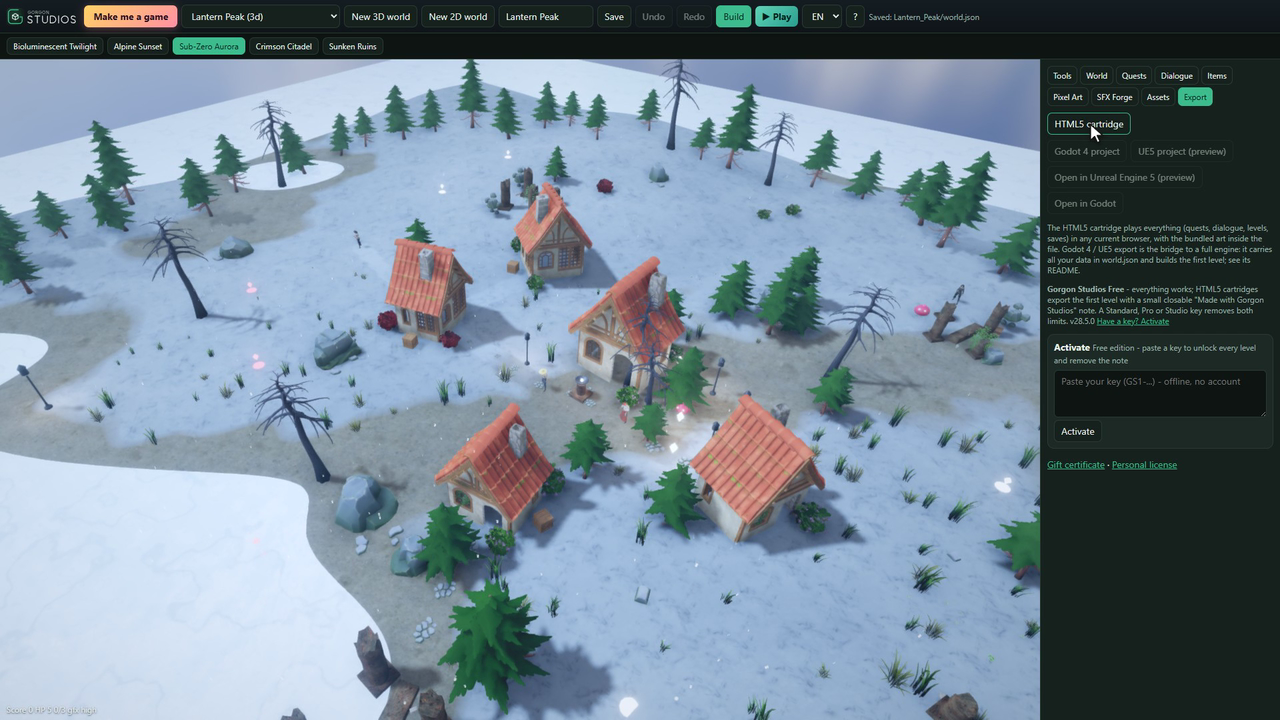
One click on HTML5 cartridge. Find the file
It goes into
My_Games, in your game's folder, underexport. Open folder shows it and Open game plays it straight away. The text file next to it credits the art.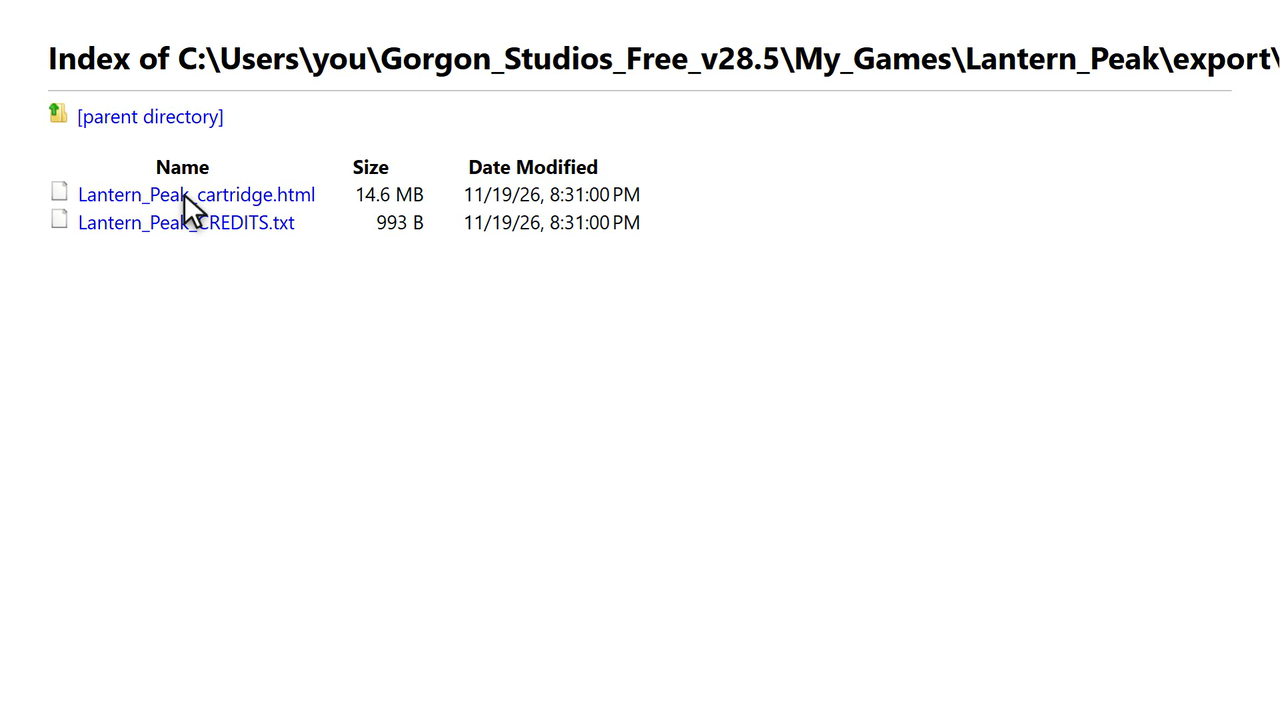
One HTML file is the game. Mine came out at about 15 MB. Double-click it
It opens in a web browser with a title screen, and your players install nothing. The quests, the fights and the save slots all come along inside the file. Exports from Stark World Engine Free show a small "Made with Stark World Engine" note players can close after a few seconds.
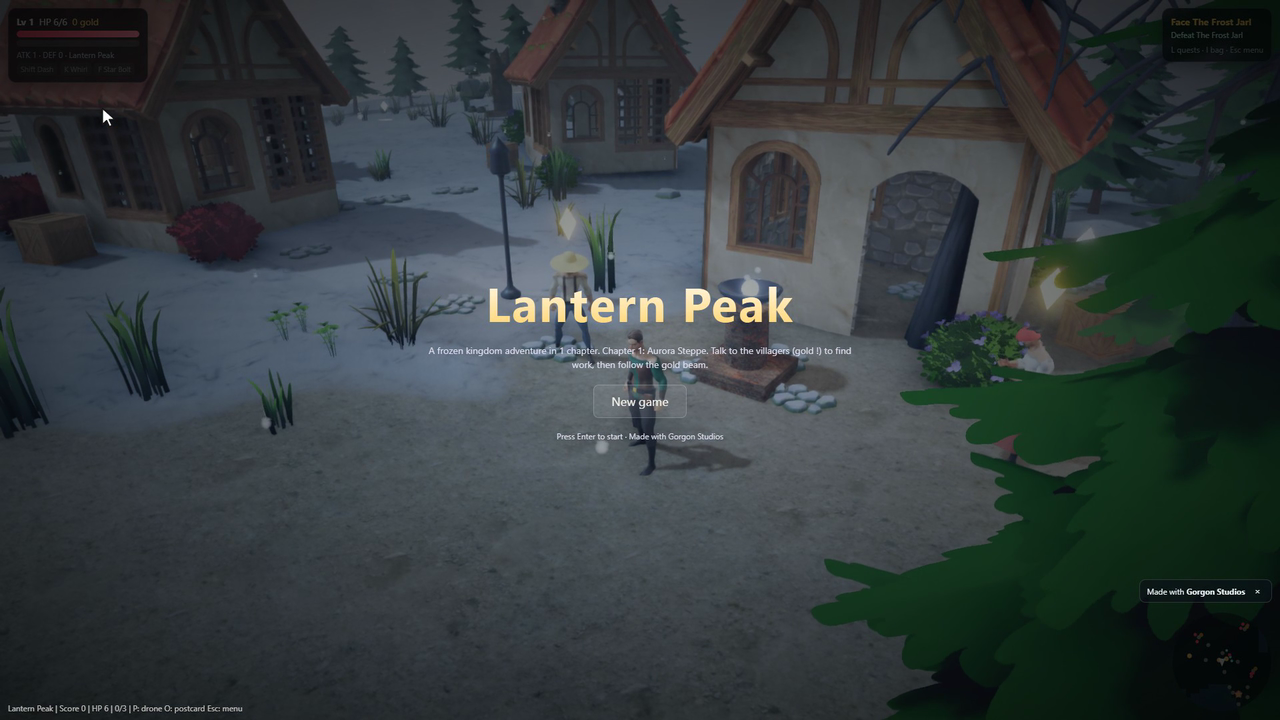
The title screen, straight from the file on disk. Send it like any other file
Email, a chat app, a USB stick or any file host. It is one file, so there is nothing to keep together.
Put it on itch.io
Rename a copy of the file to
index.htmland put it in a zip. On itch.io, create a new project, set the kind of project to HTML, upload the zip and tick This file will be played in the browser. Save, and people can play it right on your page.


The same steps, moving

What it can't do
- The soundtrack you make plays in the studio. Exported cartridges stay small and use the game's sound effects only.
- Players' saves live in their own browser on that computer. Clearing the browser's site data removes them.
- The game needs WebGL2: a current Chrome, Edge or Firefox on a computer. On a phone or tablet it starts, but it is played with a keyboard.
- Stark World Engine Free exports the first level. Pro and Studio export every level with no note.
Questions people ask
Why rename it to index.html for itch.io?
itch.io looks for a file called index.html inside the zip and starts that one. The game itself does not mind what the file is called.
How big is the file?
It depends on the art in your game. My Lantern Peak test game came out at about 15 MB, art included.
Does it work offline?
Yes. Everything the game needs is inside the file, so it plays with no internet.
Try it yourself
The whole builder: 3D and 2D, Make me a game, moods, drone mode, Pixel-Art Canvas and SFX Forge. Its HTML5 export includes the first level of your game, with a small closable "Made with Stark World Engine" note.