What you need
- A Windows 10 or 11 computer (Python is included), or a Mac or Linux computer with Python 3.10 or newer.
- A current Chrome, Edge or Firefox. The 3D view uses WebGL2.
- The free download from itch.io. You can pay what you like, or nothing.
Step by step
Download and start the studio
On the Stark World Engine Free page on itch.io, click Download Now. Right-click the zip, choose Extract All, and put the folder somewhere you own, like Documents. On Windows, double-click
START_GORGON_STUDIOS.bat. A small black window opens and the studio opens in your browser. Leave that window open while you work; it is the studio's engine.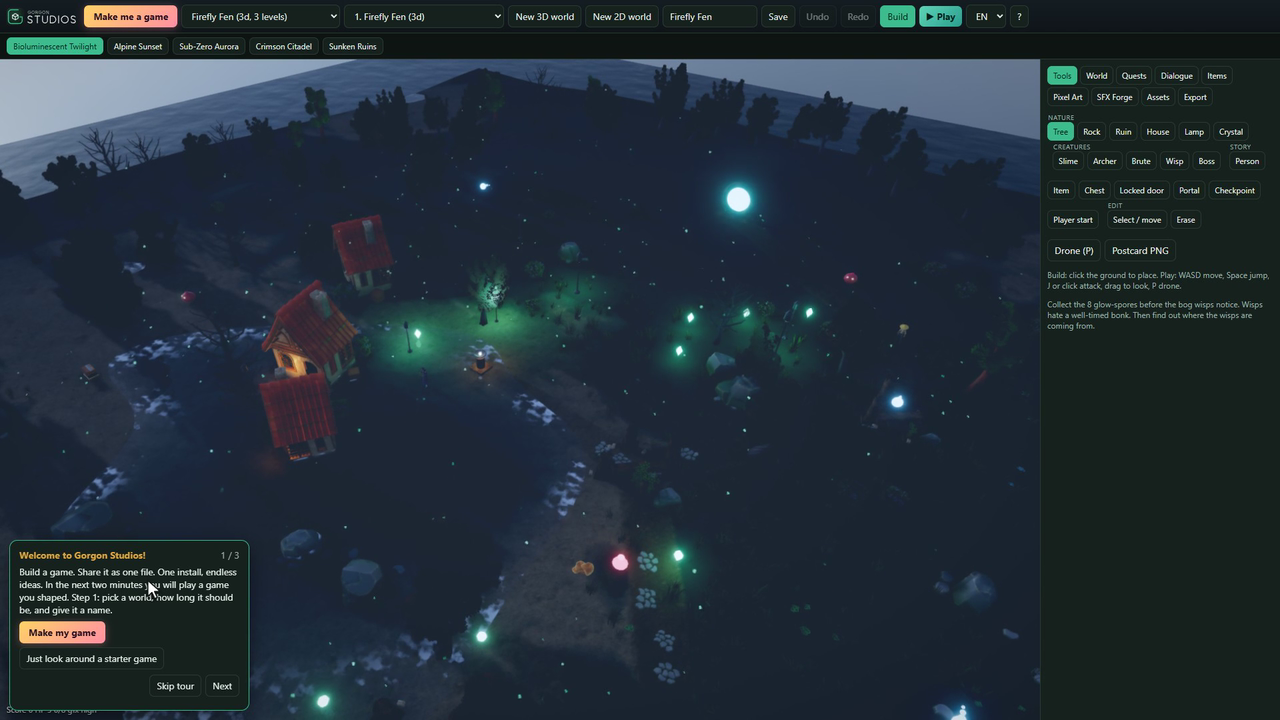
The first time it opens, a short tour says hello. Click Make me a game
Pick one of six themes: Spooky Swamp, Sky Islands, Frozen Kingdom, Lava Fortress, Sunken City or Cozy Village. Pick a size: Snack is one level, about fifteen minutes of play, which is plenty for a first game. Give it a name and click Make it and play.
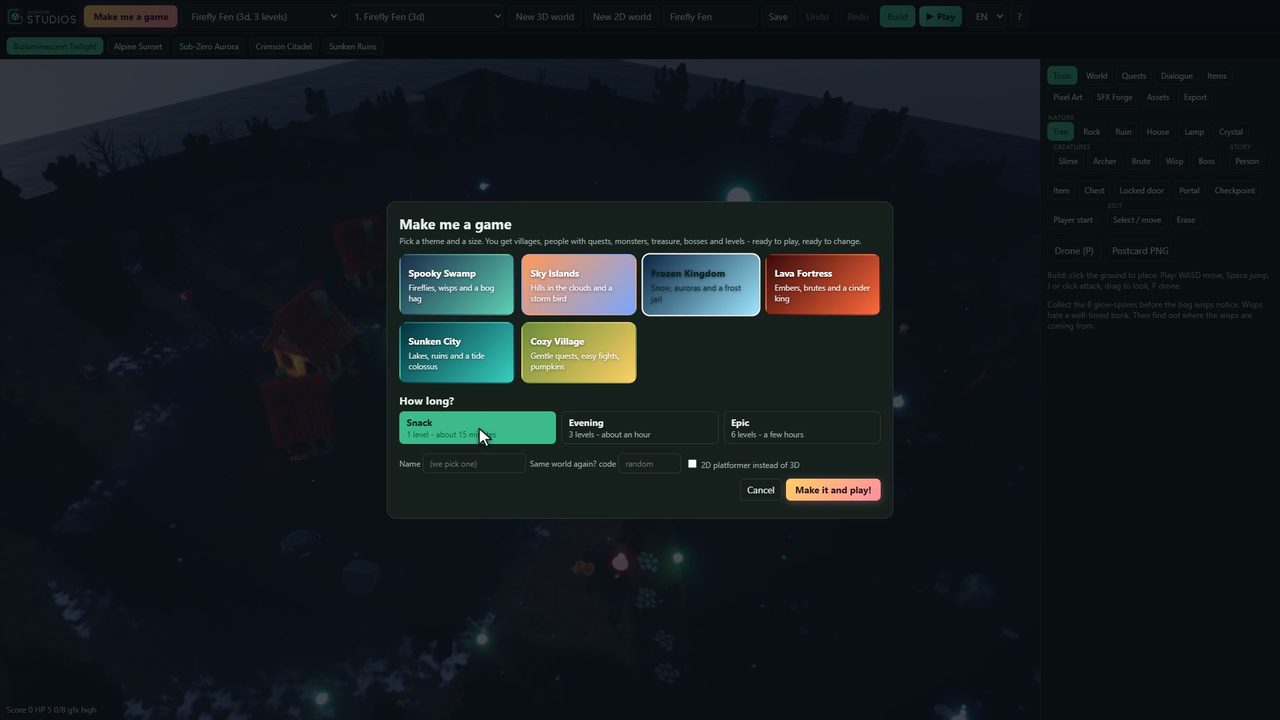
Six themes and three sizes. The same seed always makes the same game. Play it
You get a village, people with quests, monsters, treasure and a boss at the end. W, A, S and D to move, Space to jump, J or a click to attack, and drag to look around. Villagers with a gold mark have work for you. L shows your quests and I opens your bag.
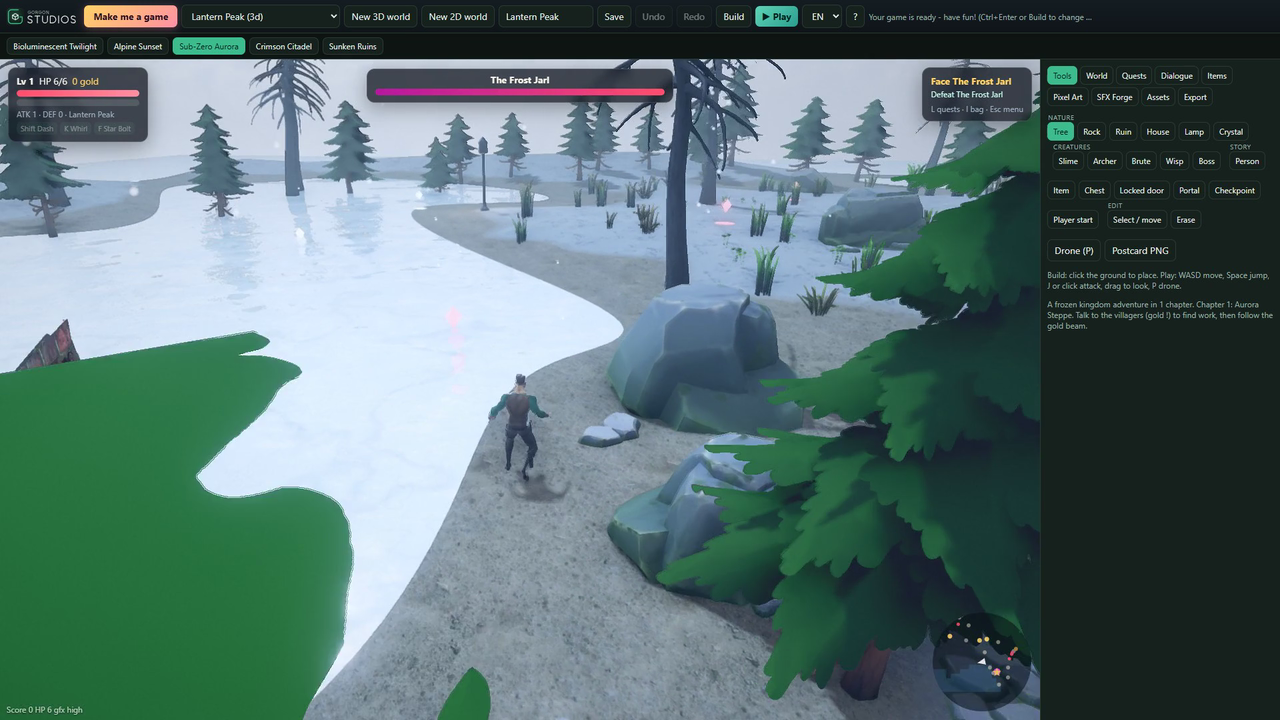
The game Make me a game built, a minute after clicking. Press Build and change anything
Click Build and the world holds still. The tools are on the right: pick one, then click the ground to put it there. Trees, rocks, houses, lamps, crystals for the player to collect, slimes and other monsters. Made a mistake? Undo and Redo are at the top, and every save keeps the three versions before it.
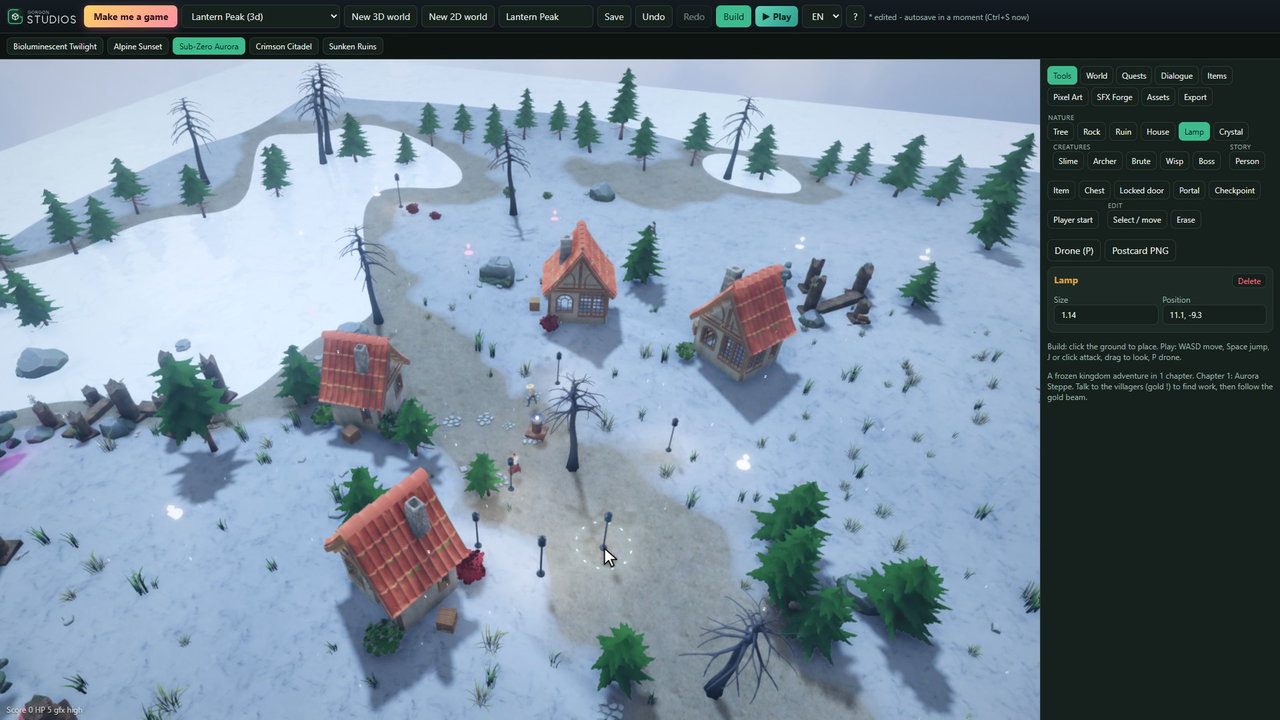
Placing lamps along a path, one click each. Try a different mood
Along the top are five moods. One click relights the whole world: sky, fog, light and weather. Pick one that suits your game, then Save and Play to walk through what you changed.
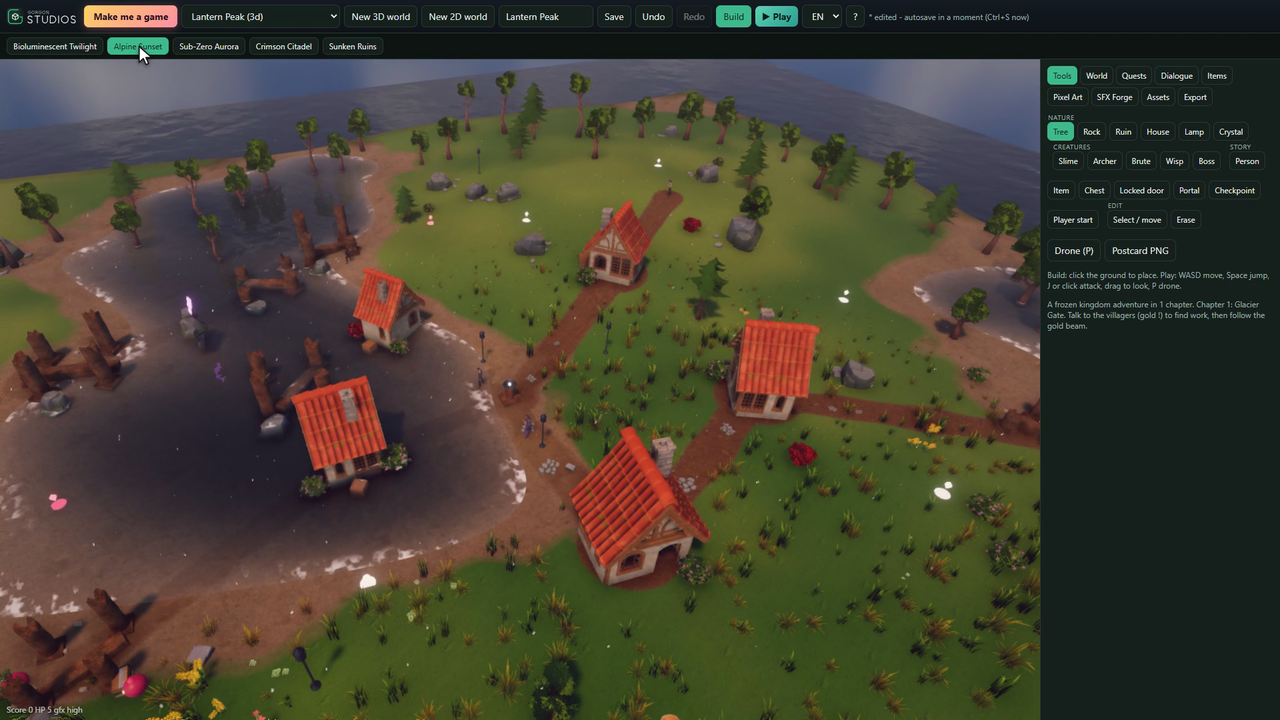
Same world, another mood. Write your own story when you are ready
Quests, Dialogue and Items have their own tabs. Write quest steps and rewards, give a villager something to say, and the player follows it in the quest log. When you want to share the game, the one-file guide shows how.


The same steps, moving

Can you make a 3D game without coding on the free edition?
Yes. Stark World Engine, a game maker for 3D and 2D worlds without coding has a free download on itch.io with the whole builder: 3D worlds, 2D platformer levels, Make me a game, moods and drone mode. Quests, dialogue, items, enemies and bosses are set up by clicking, across up to 25 linked levels.
- Online or offline? It opens in your browser but runs on your own computer, with no account. The studio listens on 127.0.0.1 only, so it keeps working with no internet.
- On a phone? The studio itself runs on Windows 10 or 11, macOS or Linux with a WebGL2 browser. An exported game starts on a phone or tablet, but it is played with a keyboard.
- Sharing it: the free edition exports the first level as one HTML5 file with a small closable note. Pro and Studio export every level with no note, and Pro can continue the first level in Godot 4 or Unreal Engine 5 as a starting scene.
What it can't do
- It makes stylized adventure games that run in a browser. It is a fast way to start, not a replacement for a full engine.
- Games are played with a keyboard. On a phone or tablet a game starts, but you cannot steer.
- Stark World Engine Free exports the first level of your game, with a small "Made with Stark World Engine" note players can close. Pro and Studio export every level with no note.
- On a Mac or Linux you install Python 3.10 or newer first.
Questions people ask
Do I need to know how to code?
No. Building, quests, dialogue, items, pixel art, sound effects, music and exporting are all point-and-click.
Does it need the internet?
No. The studio runs on your computer and only answers on that computer. There is no account and nothing you make is uploaded.
Can I use my own 3D models?
Yes. Open the Assets tab and drop in a .glb file (or a .gltf with its files). Files that need Draco or meshopt compression are refused: export them again without compression.
Can I sell what I make?
The games you make are yours. Do not resell or redistribute Stark World Engine itself.
Try it yourself
The whole builder: 3D and 2D, Make me a game, moods, drone mode, Pixel-Art Canvas and SFX Forge. Its HTML5 export includes the first level of your game, with a small closable "Made with Stark World Engine" note.