What you need
- Stark World Engine Pro or Studio, activated with your key (Export then Activate). Without a key, every other part of the studio works, but the Godot and UE5 buttons stay greyed out.
- Godot 4.2 or newer, from godotengine.org.
- For the 3D look, a graphics card that supports Vulkan or Direct3D 12.
Step by step
Click Godot 4 project
Open your game, click Build, then the Export tab, and click Godot 4 project. The studio saves first, then writes the project to
My_Games/<your game>/export/godot/.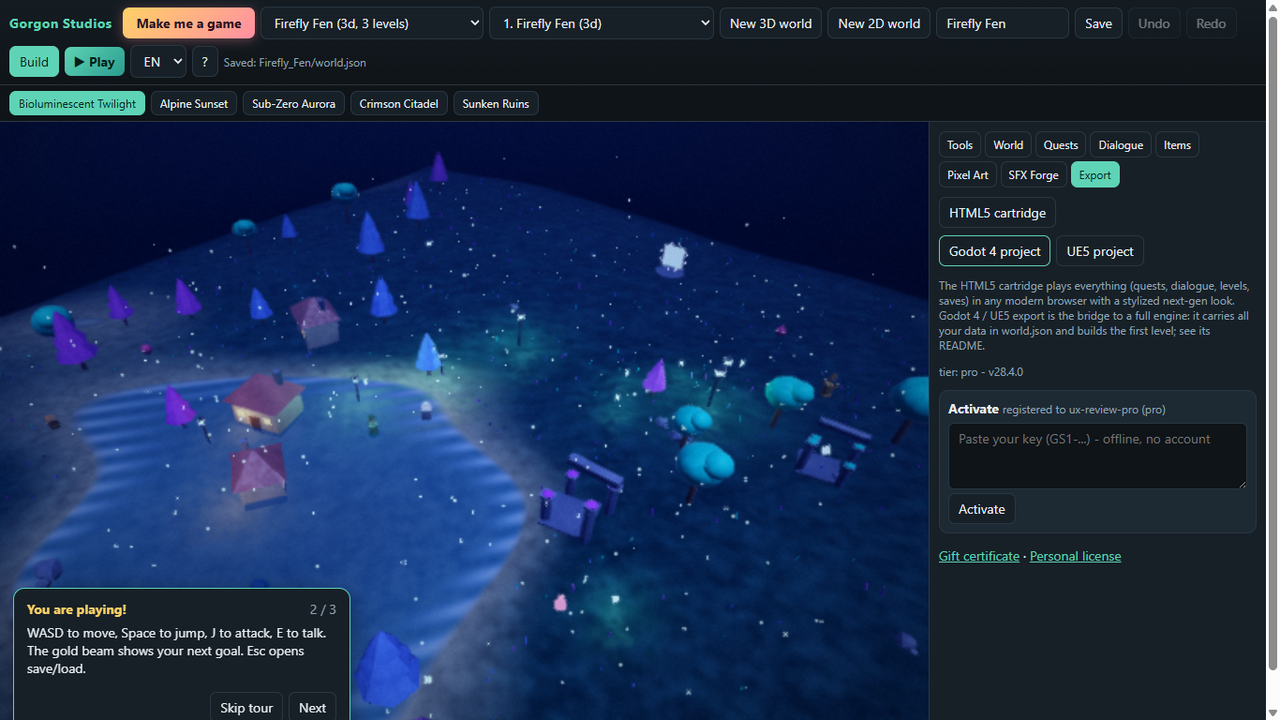
The Godot 4 project button, in Pro. Import it in Godot
In Godot's project manager, click Import, select
project.godotin that folder, then Import & Edit. The first open imports and compiles shaders, so give it a minute.Press F5
You walk around your first level with a third-person camera: W, A, S and D or the arrow keys to move, Space to jump. In 3D you get a lit scene with sky, fog, soft shadows in your mood's colours, hilly ground with collision, and every object as a simple shape, with lights on lamps, crystals and portals.
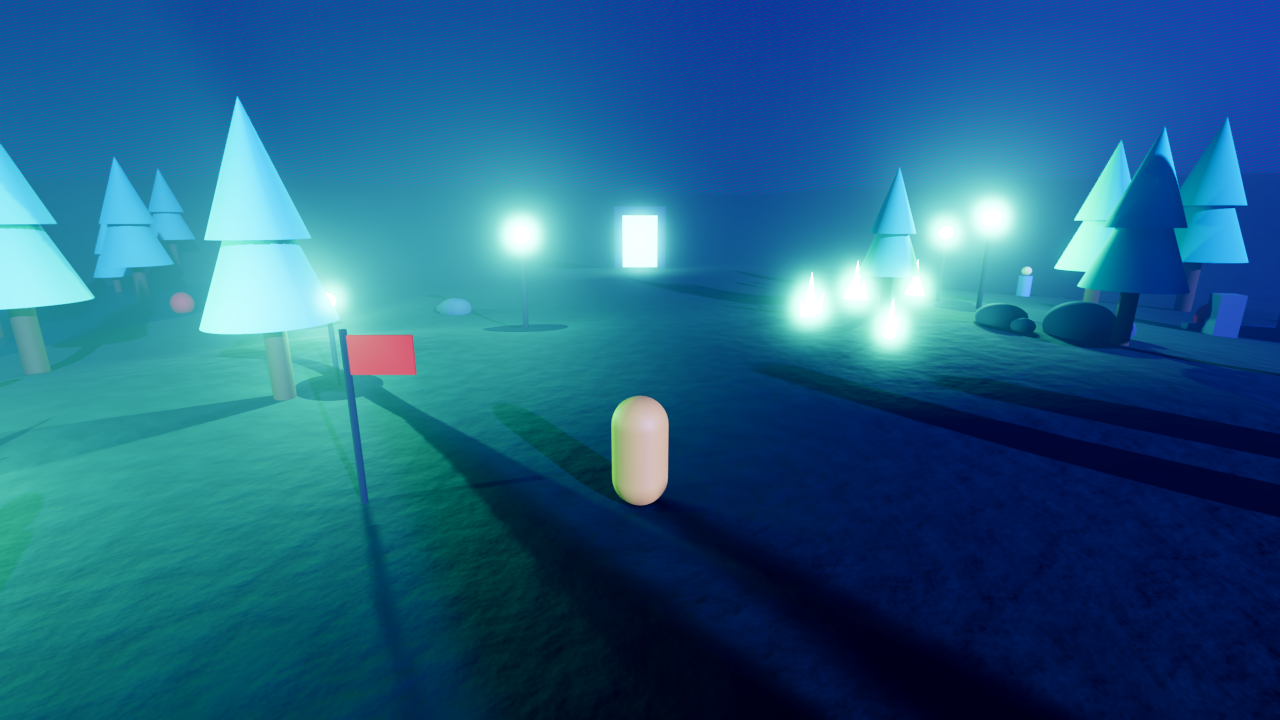
Firefly Fen in Godot. Objects arrive as simple shapes for you to replace. Swap the shapes for real art
Select the
Propsnode to drop in your own meshes.README_GODOT.mdin the project lists the steps, andworld.jsonholds all your game data for your own scripts.2D levels come across too
A 2D platformer level becomes a scene with your tiles and a player: A and D or the arrow keys, and Space to jump.
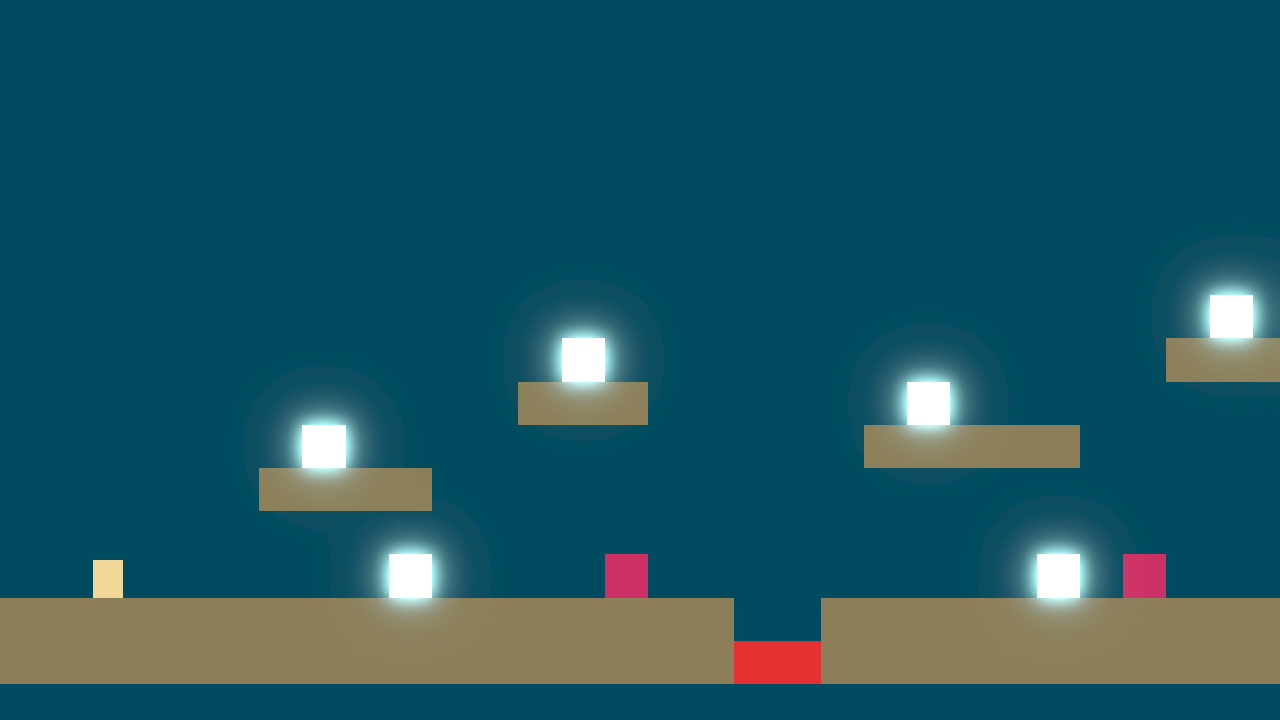
Lantern Leap, the 2D example, in Godot.


What it can't do
- It builds the first level of your game only.
- Quests, dialogue, fights, experience and saves are not carried over. They run in the HTML5 cartridge and in the studio's Play mode; in Godot the player can walk and jump.
- Objects are placeholder shapes, and weather particles are not re-created (weather changes the fog and colour grading only).
- I opened and rendered exports of the starter games and several Make me a game games in Godot 4.7. The UE5 export is a separate preview, and it has not yet been run in a real Unreal Engine 5 install.
Questions people ask
The Godot project looks dark or will not run.
Use Godot 4.2 or newer. Its Forward+ renderer needs Vulkan or Direct3D 12, and the first open compiles shaders, so wait for that to finish.
Can I export without opening the studio?
Yes, from a terminal in the studio folder: python studio_app.py --export "My Game" --target godot. On Windows, use runtime\python\python.exe in place of python if Python is not installed separately.
Is there a Godot export in the free edition?
No. Stark World Engine Free has every builder feature and the HTML5 cartridge; the Godot 4 and UE5 exports are in Pro and Studio.
Try it yourself
The whole builder: 3D and 2D, Make me a game, moods, drone mode, Pixel-Art Canvas and SFX Forge. Its HTML5 export includes the first level of your game, with a small closable "Made with Stark World Engine" note.