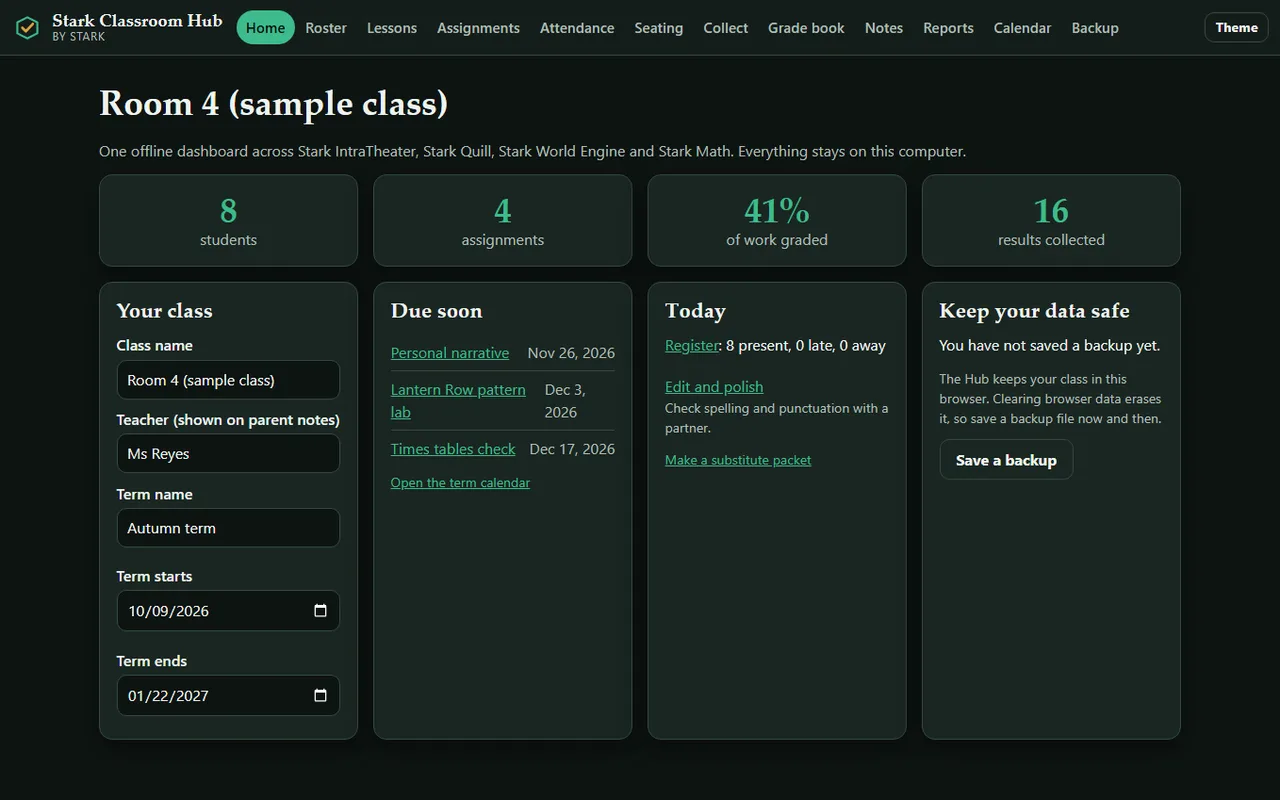
Stark Classroom Hub is the teacher's desk for the Stark Education Suite. Plan the units and lessons, take the register, seat and group the class, set and differentiate the work, collect what students made in each Stark app, grade it against your rubrics and your standards, and print the reports, conference sheets and substitute packets. It runs from one folder, in your browser, with no internet. The page is built so the browser refuses every outside connection.
New in 1.1.0
- Lesson planner and unit calendar: units with goals and standards, a week view of lesson plans (objective, activities, materials, homework), copy a lesson to next week, move a whole unit and its lessons by any number of days, print the week. Lessons and units appear on the term calendar.
- Attendance: a one-tap register (present, late, absent, excused), "mark everyone present" to start, a summary per student with attendance rate, a flag below 90% after ten recorded days, and a CSV export.
- Seating chart: up to 10 by 12 seats, random, alphabetical or by-group seating, keep-apart pairs that random seating respects, click a seat to move someone, print the chart.
- Groups: mixed-level, similar-level or random groups from overall grades or one standard, optionally only students present today; keep-apart pairs are honoured; save and print group sets.
- Private notes: dated positive, concern or general notes per student. They never appear on progress reports, parent summaries, exports or planning packs. A note reaches a conference report or a substitute packet only if you mark it for that audience and also choose to include notes.
- Rubric library: six ready-made rubrics (writing, oral presentation, research project, science investigation, maths problem solving, group work) with a description for every level, plus your own saved rubrics. Start an assignment from one, print any rubric.
- Standards-based grading: your own skill codes (no standard text ships with the Hub), tag rubric criteria with a code, and see each student's mastery on a 1 to 4 scale by decaying average, mean, most recent or highest evidence. Class summary and CSV export.
- Differentiation: Support, Core and Extend instructions per assignment, a tier and extra days per student, "set tiers from current grades", and printable task cards that show each student only their own instructions and due date.
- Parent conference reports: attendance, skills, marked work, anything overdue, strengths and next steps, your talking points and agreed goals. Print, copy or save as text.
- Substitute teacher packet: the day's lesson plans, routines, emergency procedures, helpers, where things are, groups, seating chart and a blank register. Supports and notes are left out unless you tick them; grades are never included.
- Planning packs: share units, lessons, rubrics, standards and assignments with a colleague as one checked file (USB stick, school drive or email). No students, grades, attendance or notes go in it, and the Hub warns you if a student's first name appears in your plans. The colleague adds it with dates moved if they like; duplicates are skipped.
Roster, first names only
- Add students by first name or nickname. The roster refuses surnames, emails, numbers and addresses, with a plain reason each time ("Sam K." or "Mary-Jane" tells two students apart).
- The same rules apply to every file you import, so a full name inside a results file never reaches your records.
- Up to 60 students per class.
Assignment planner across the apps
- Write a Stark Quill assignment (title, prompt, word target, due date, rubric) and download the
.quillassign file to hand to students. - Pick Stark IntraTheater lessons (31 lesson sets across K-2, 3-5 and 6-8) and Stark World Engine Classroom lesson packs (six, from loops to debugging) for the same assignment.
- Set a weight and a rubric with your own criteria, point values and standard codes.
Collect results
Drop in the files your students produce. The Hub shows a preview and asks you to confirm which student each result belongs to before anything is saved.
- IntraTheater: the progress report CSV and the class backup JSON (lessons completed, stars, quiz scores).
- Quill: hand-in zips. Every file is checked against its checksum list; a hand-in that was changed after it was packed is refused and tells you which file changed. The student's reflection is kept for you to read.
- World Engine: the reflection text file (objects, quests, checker notes, the student's answers).
- Math: result files and contest leaderboard CSVs.
Grade book
- One table for the whole class: students down the side, assignments across, with a weighted overall grade, band (Exceeding, Meeting, Approaching, Beginning) and letter. Support and Extend tiers are marked on each cell.
- Score each rubric criterion in half-point steps and add a comment. Each cell shows which parts of the assignment the student has handed in.
- Class averages per assignment. Export the whole grade book as CSV.
Reports
- A printable progress report per student, or every student at once, one per page.
- A parent-friendly summary in plain language that mentions only that child. Edit it, then copy it or save it as a text file.
- Conference reports and substitute packets (see above).
Calendar
- A term calendar with week numbers. Assignment due dates, lessons and unit starts and ends appear automatically; add tests, trips and holidays.
Safety
- All data stays in your browser on your computer. Download a class backup file whenever you like and restore it later; a restore re-checks every name. Backups include your private notes and attendance, so keep them somewhere safe.
- Backups from version 1.0 restore in 1.1.0. A backup made by 1.1.0 is refused by 1.0 instead of silently losing the new parts.
- A sample class is included so you can look around first, and one button erases everything.
Good to know (honest limits)
- Works in current Chrome, Edge, Firefox and Safari. Opening Quill hand-in zips needs a browser with built-in decompression (all current ones).
- The Hub does not replace a school records system. The attendance register is a classroom record, not a legal register, and nothing is sent to a school system, parents or anyone else: sharing is up to you (print, save the text, or hand over a file).
- Standards are the codes and short descriptions you type in; the Hub ships no official standards text and does not check that codes match any framework.
- Mastery uses only rubric criteria you tagged with a code, so untagged work does not count towards a standard.
- One class per browser profile. For several classes, use a backup per class or a separate browser profile.
- Planning packs are checked for tampering and accidental changes, but they are not encrypted. Do not put private student details in lesson plans.
- Stark Math result files are signed with the event pack; the Hub reads the score but does not check that signature, so use Stark Math to verify a contest.
- Browser storage can be cleared by the browser. Save a backup now and then.