What you need
- Your book folder. In Stark Quill that is
Documents\My_Books. - A USB stick or a second drive.
- Somewhere away from your desk: a drive you keep elsewhere, or a copy you send yourself.
Step by step
Let the app back up while you write
Quill saves as you type, and every save goes to a journal first and is checked before it replaces the chapter file. It also backs up the whole book every couple of minutes while you write, as zip files in the
.backupsfolder inside the book's folder.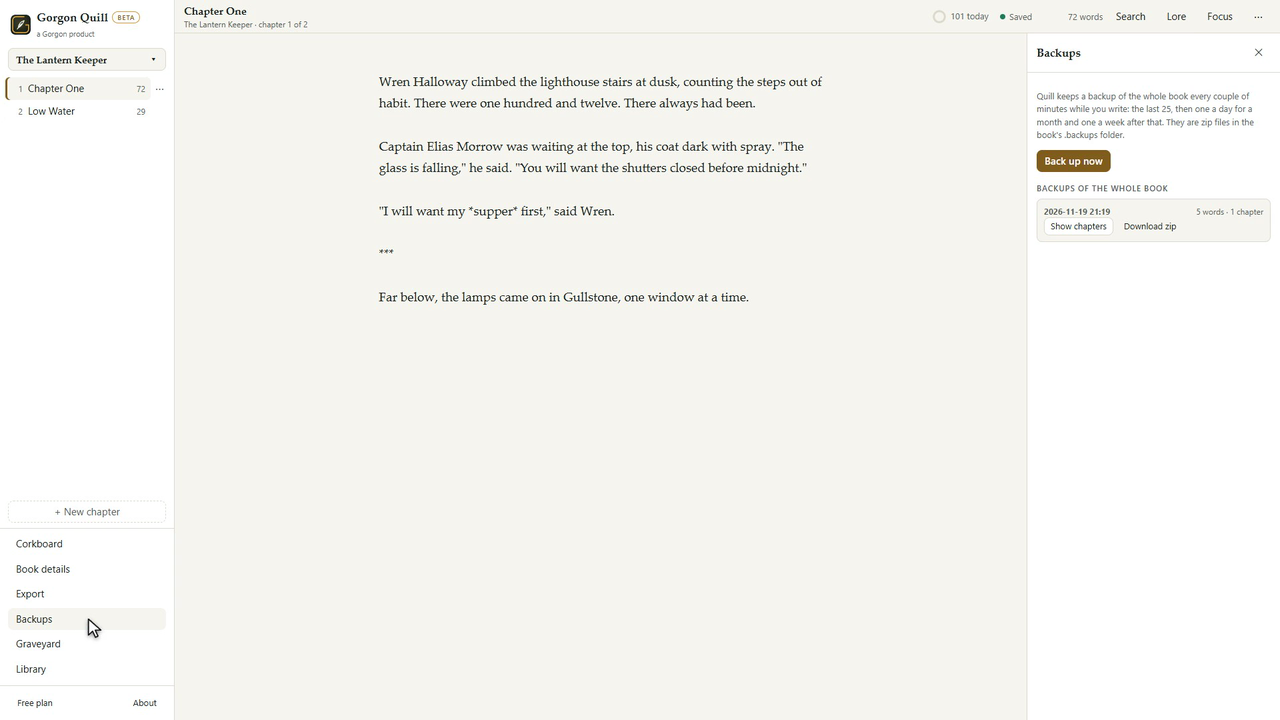
Backups of the whole book, made while you write. Practise getting a chapter back
Open Backups, pick a backup, press Show chapters, then Preview and Restore this version. Quill backs up the current text first, so a restore can be undone too. A whole chapter you deleted is under Backups, Deleted chapters.
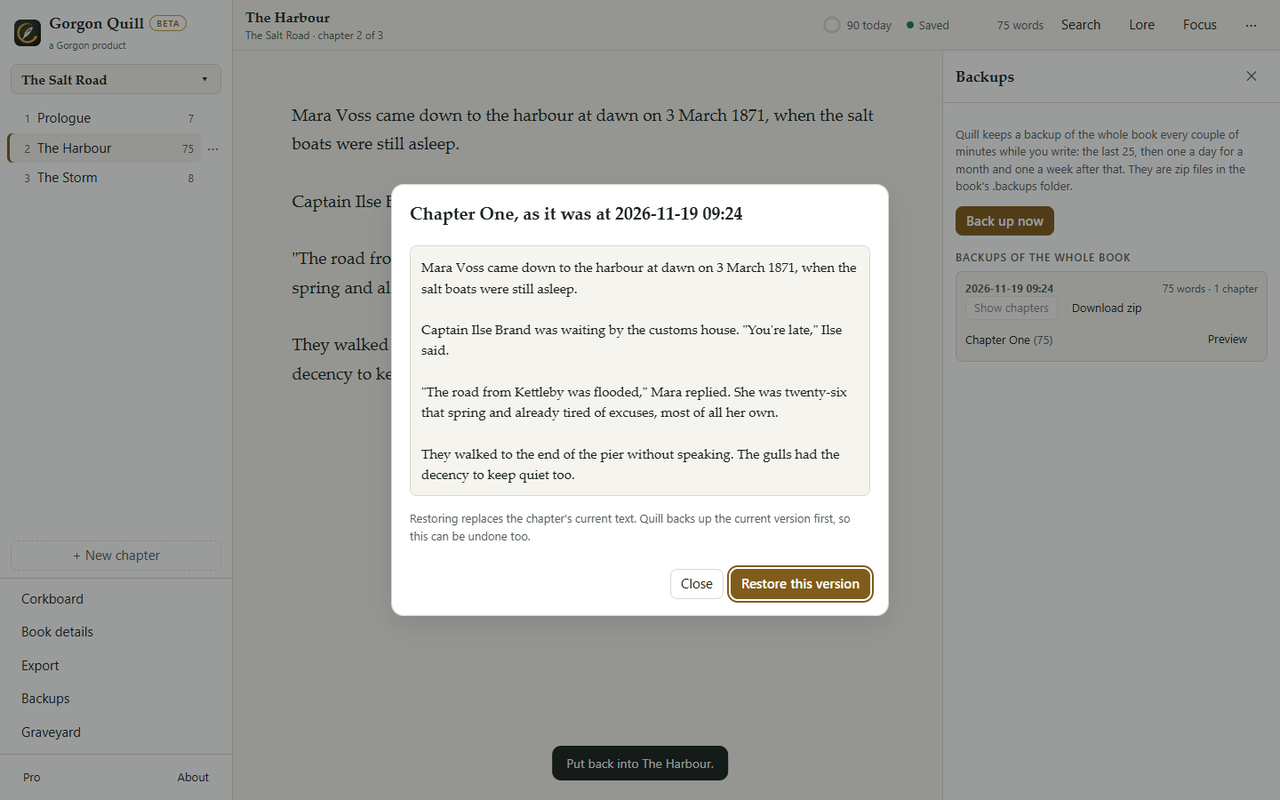
Read an older version before you restore it. Keep the paragraphs you cut
A paragraph you delete goes to the Graveyard and to
Deleted_Graveyard.mdin the book folder. Put the cursor where you want it and press Put back at the cursor.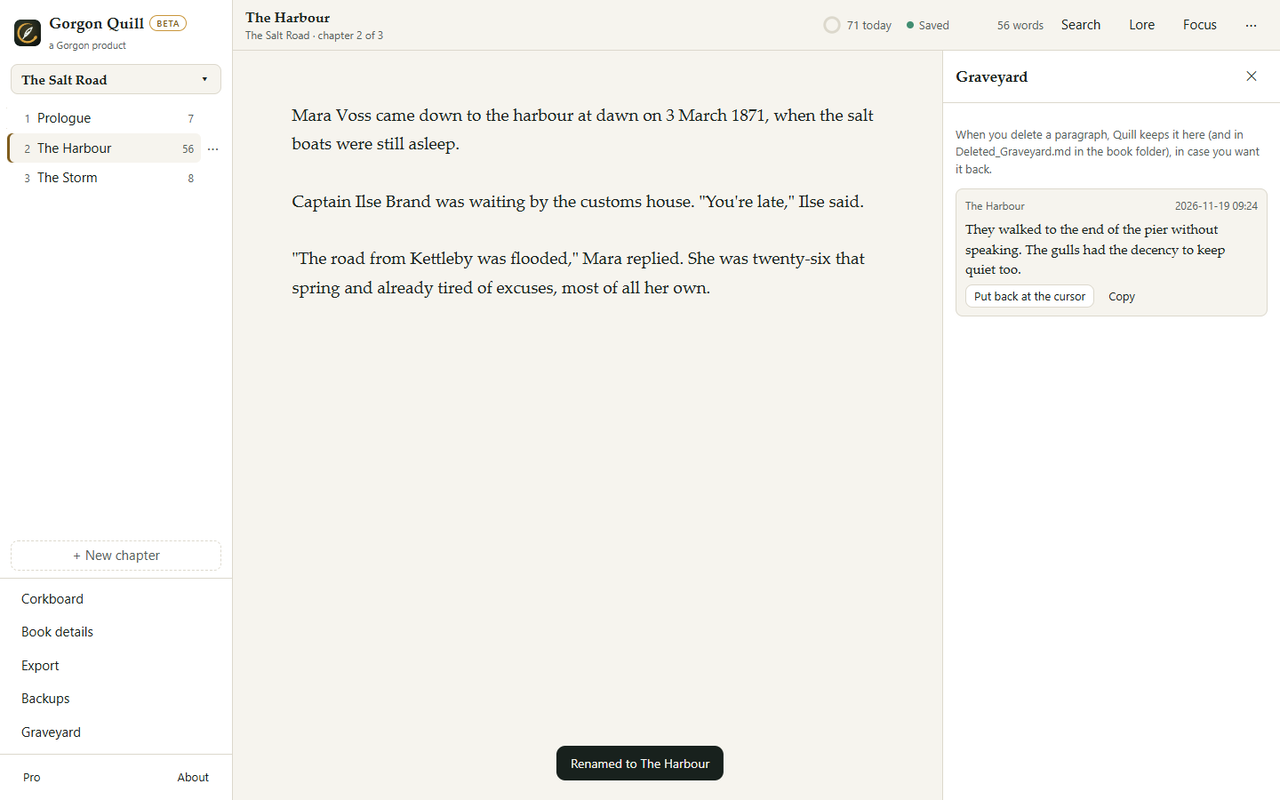
Nothing you cut is lost. Copy the folder to a second drive
Copy
Documents\My_Booksto a USB stick or another drive, every week or at the end of a chapter. Quill can also back up the whole book to one checked zip, downloaded or saved on a USB stick. Each chapter inside is a plain text file, so any editor can open it.Keep one copy away from your desk
A fire, a flood or a stolen bag takes the laptop and the USB stick together. Keep one copy somewhere else: a second stick at a friend's or at work, or the zip sent to yourself. If you use a cloud drive, copy the zip there; do not keep the book you are writing inside a syncing folder.


Why not write straight into a syncing folder?
OneDrive, Dropbox and other syncing folders can briefly lock files while you save. They also copy a mistake everywhere a moment later. A copy that sits still, on its own drive, is the one that saves you after a bad day.
What it can't do
- Quill's backups live inside the book's folder on the same computer. They protect you from a bad edit, not from a dead drive. That is what the second and third copies are for.
- Quill does not upload anything, so there is no copy of your book anywhere I can reach. Keep your own.
Questions people ask
How often should I copy my book?
Often enough that losing what changed since would not hurt. For many writers that is the end of every session or every chapter.
How do I move my book to a new computer?
Install Quill on the new computer, then copy your My_Books folder into Documents there.
Can I open a backup without Quill?
Yes. A backup is a zip, and the chapters inside are plain text files.
Try it yourself
A free offline writing app for novelists. Your books are plain text files in your Documents folder. No cloud, no lock-in; the Free edition stays free and Pro is a 12-month key. A Scrivener alternative that keeps everything local.